We build custom apps for home care agencies
Your paperwork — forms, logs, checklists, reports — turned into simple online tools that work the way your agency works: your fields, your process, your logo, on your own page at [agencyname].onlylivein.com. If your caregivers fill something out today — on paper, in a spreadsheet, anywhere — we can turn it into a tool they open in the browser and just use.
Use the short form below — or email cases@onlylivein.com — with the one form or report your caregivers deal with most. That is usually the first one we build.
Start from tools your caregivers can use today
The custom apps are modeled on our free tools suite — a Daily Care Log Maker, an Invoice Maker, a Resume Builder, a Gig Locator, and more, built for live-in caregivers and free for anyone to use, no sign-up. Your caregivers can start with those today. The custom version goes further: the same kind of tools, rebuilt around your agency’s own forms and branded as yours.
One set of tools. Six software styles.
Every agency works differently, so the tools can look different too. Pick a starting style below — then we shape it around your workflow: your forms decide the fields, the order, and the steps, whatever the style. The samples show a fictional agency, Golden Years Home Care, running the same six tools — a daily care log, a timesheet, a shift checklist, a client intake form, a medication log, and a weekly report — in each style.
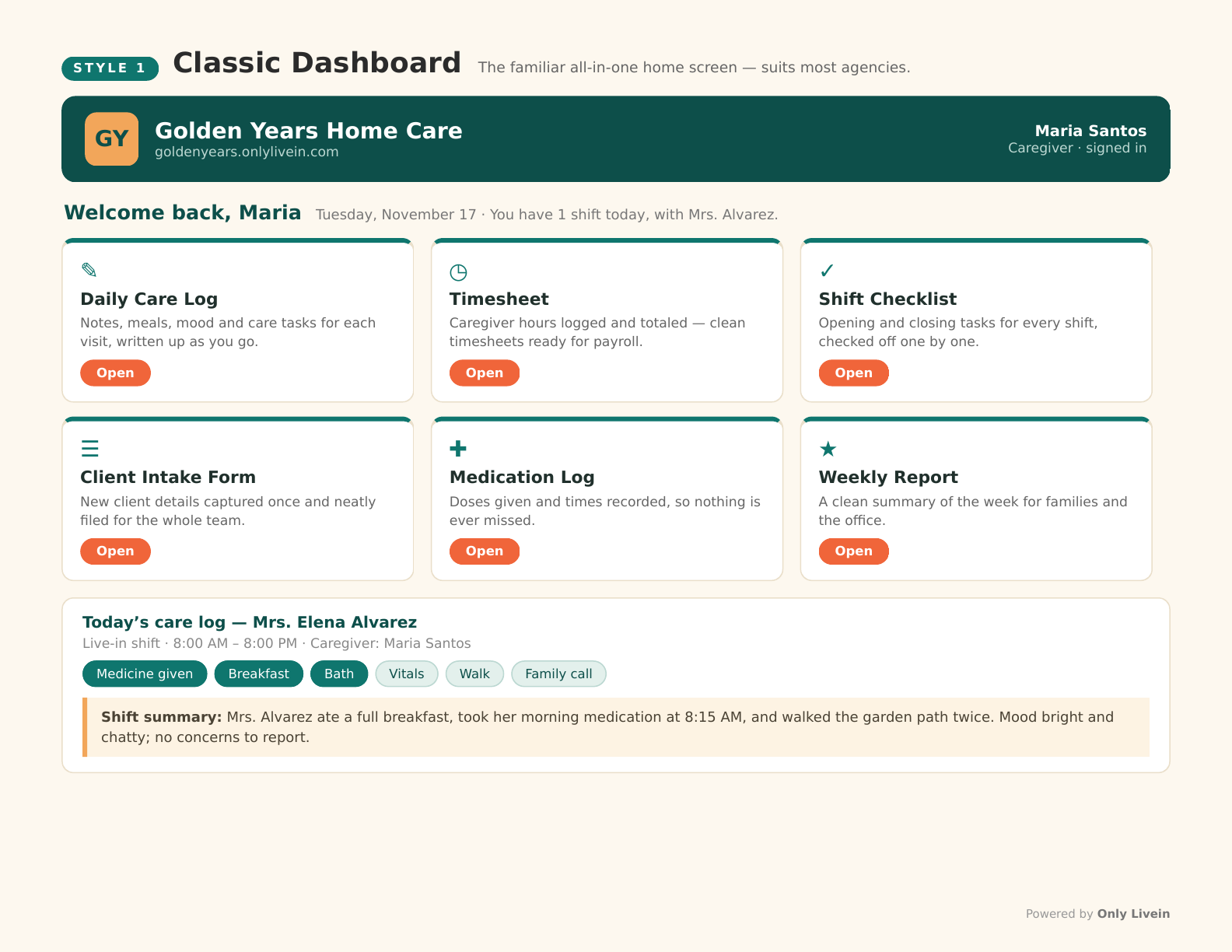
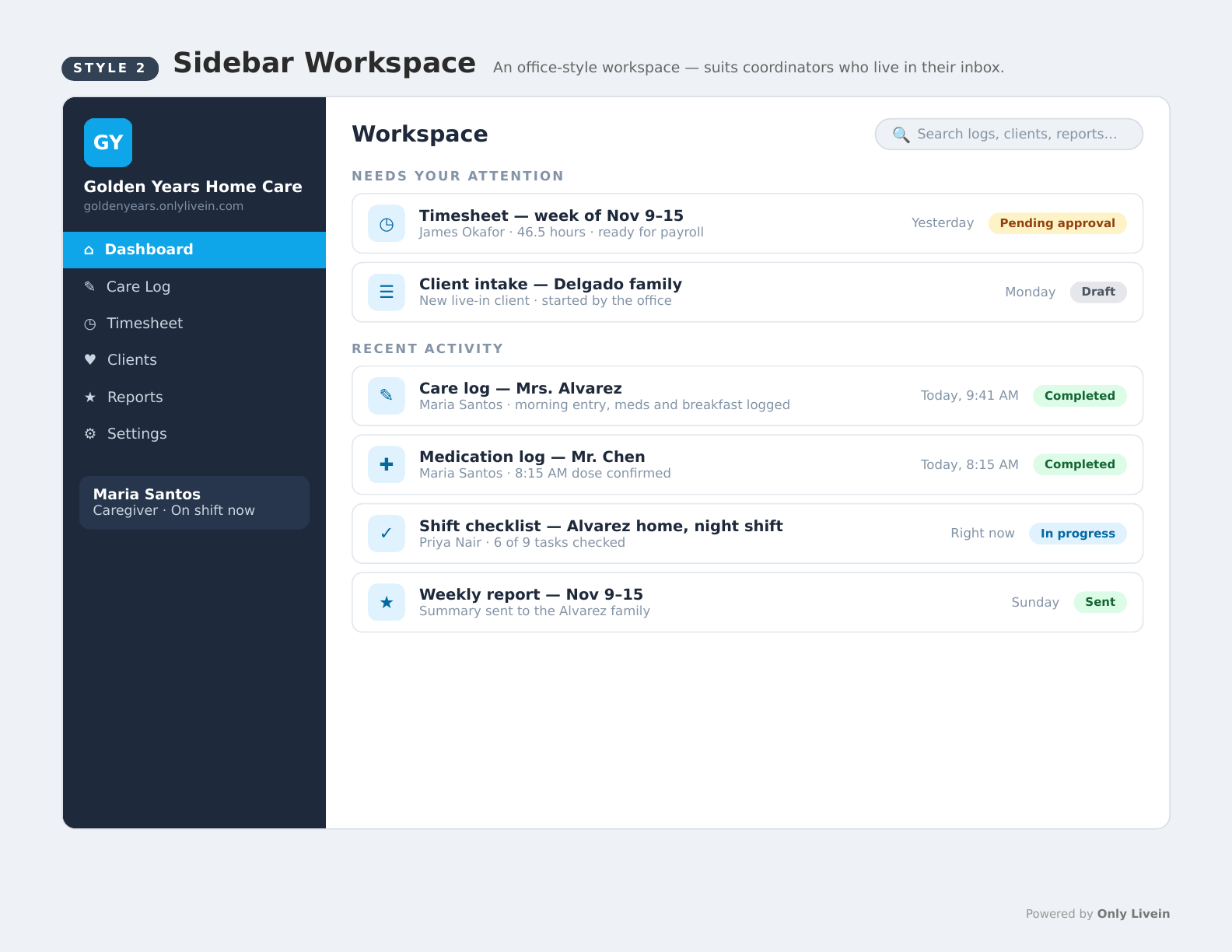
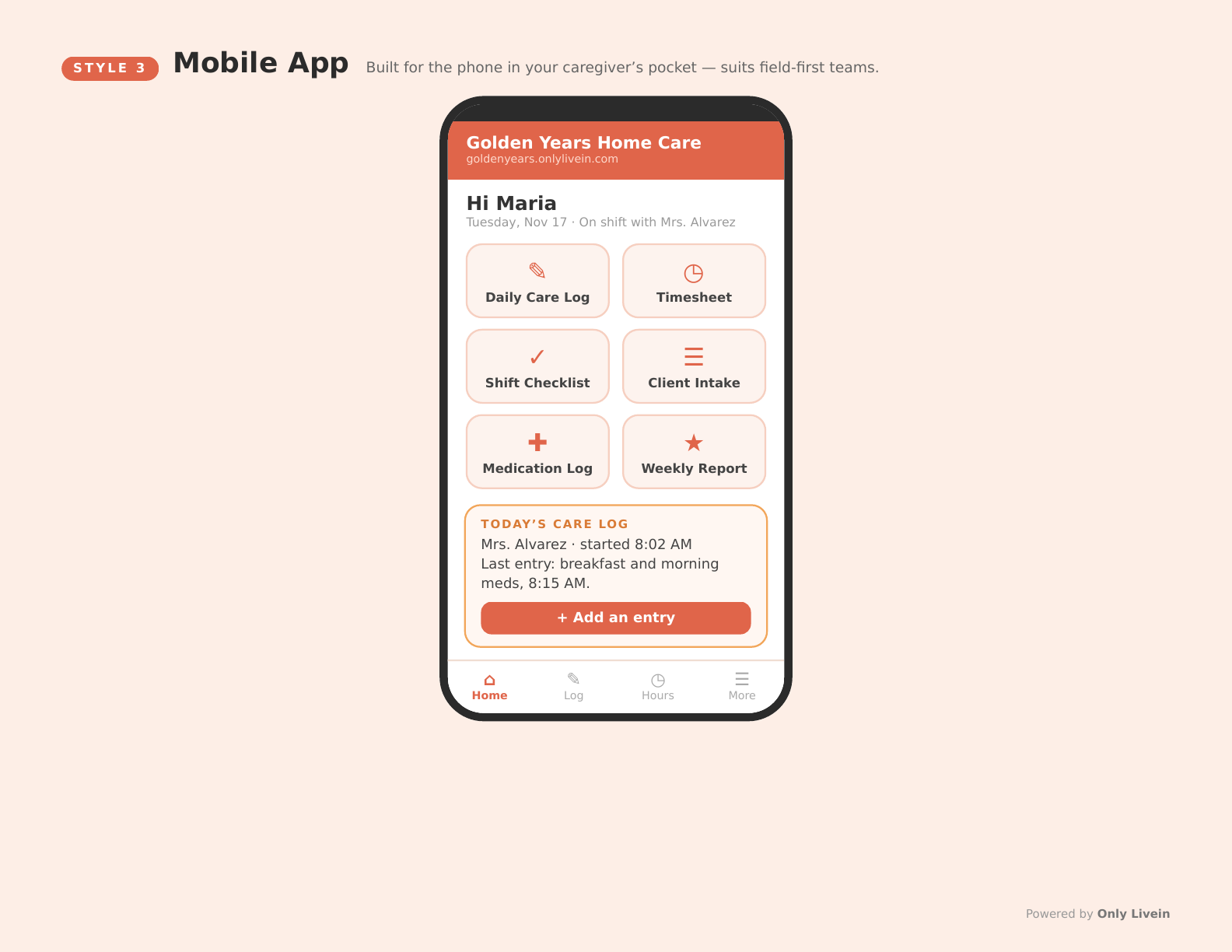
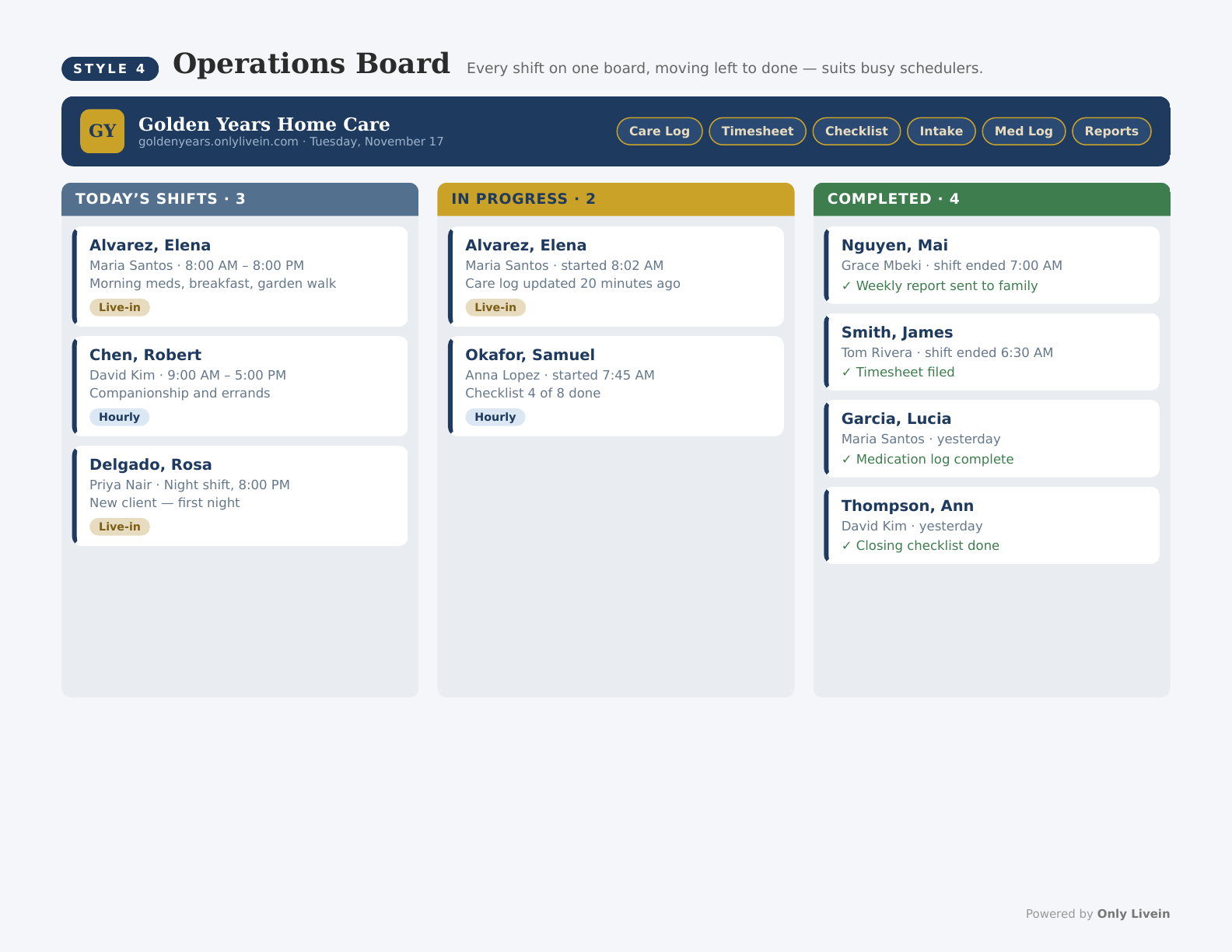
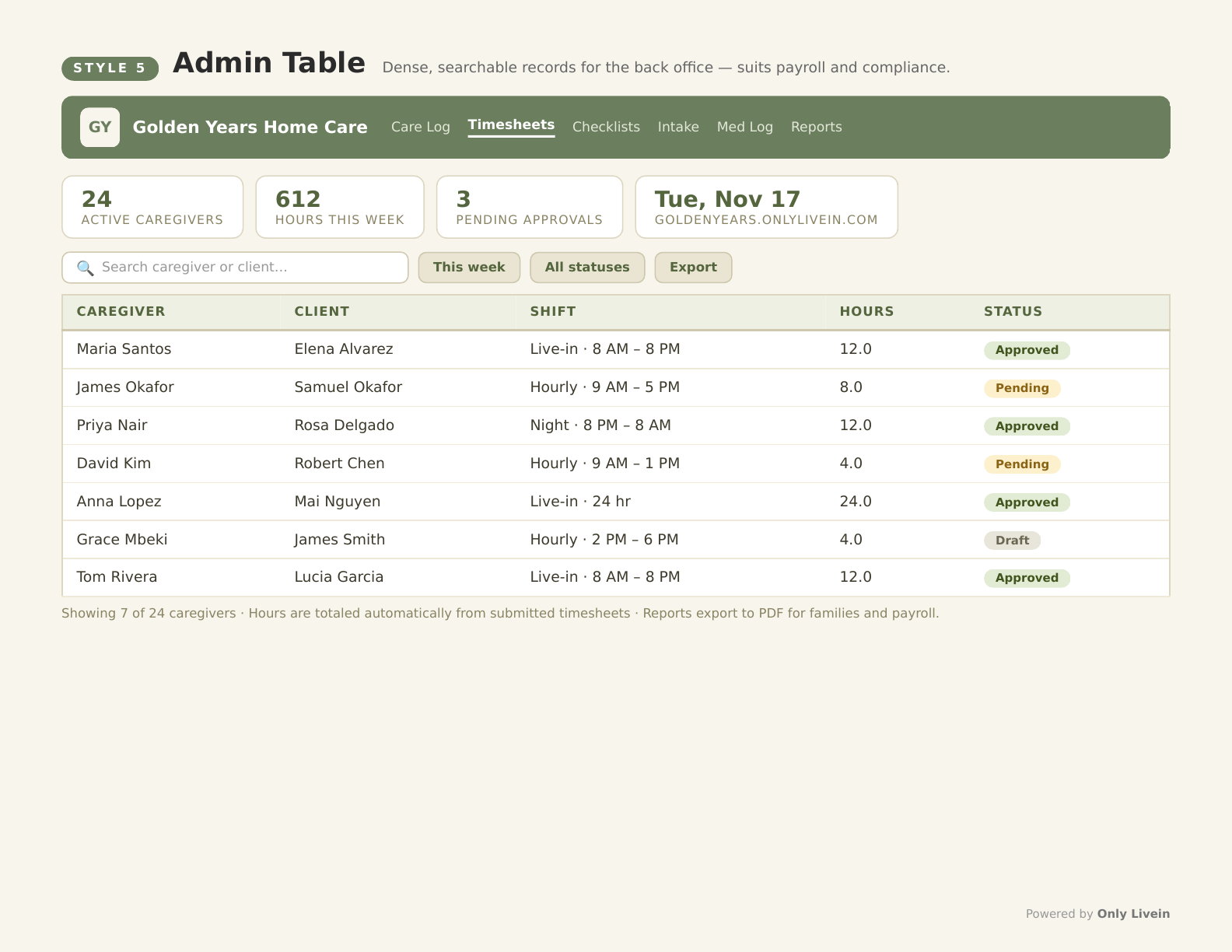
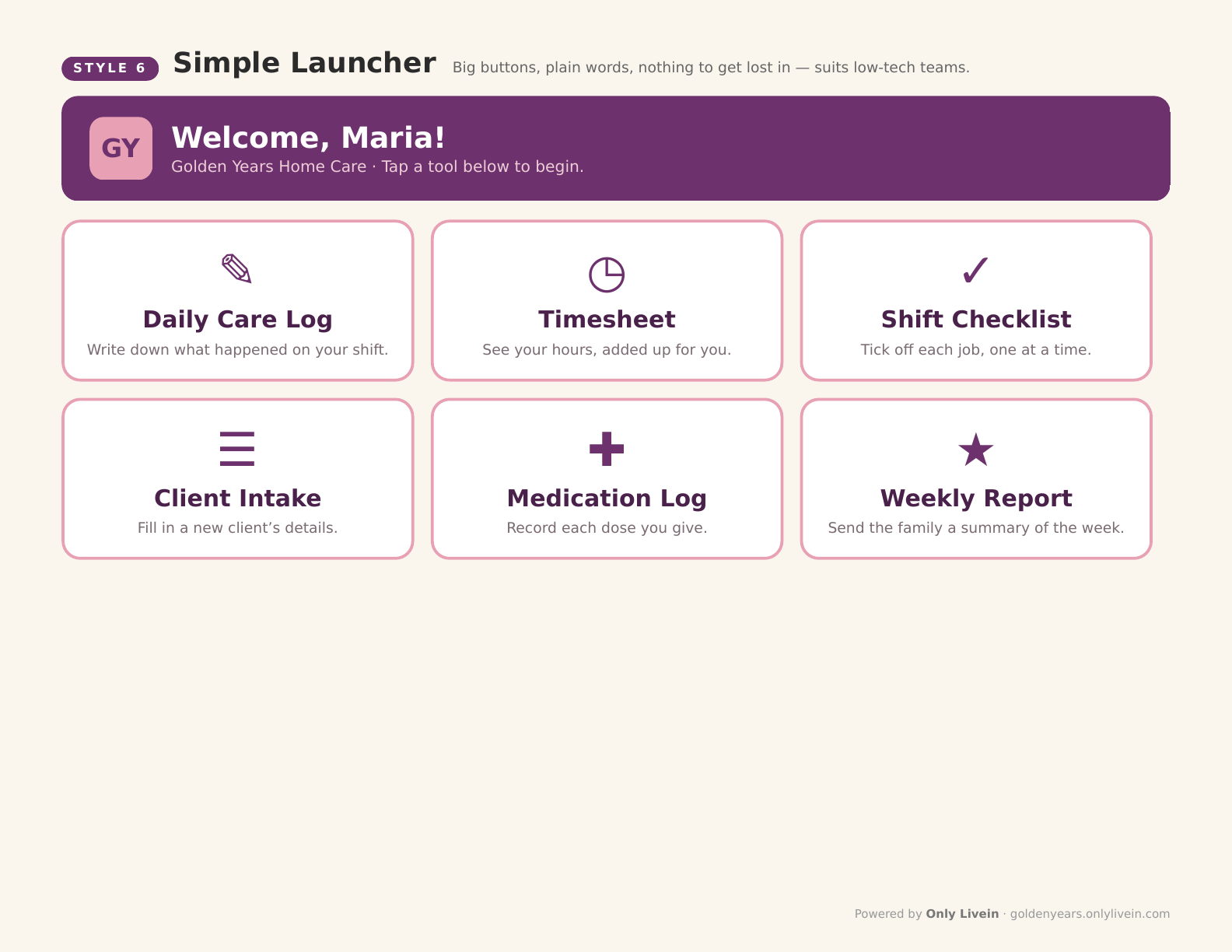
The style is just the starting point. A scheduler who lives on a board view and a caregiver who only ever opens one big button can work in the same agency — every build is shaped around how your team actually works, not around a template.
Plus a scheduling board. A moderator — you or your coordinator — assigns cases to caregivers, and every caregiver logs in to see their own schedule: which client, which days, what to know before they arrive. Live-in cases run for days at a time, so the board works as a roster, not an hourly puzzle.
What’s included
- Custom tools built around your workflow — your forms, logs, checklists, schedules, and reports, rebuilt as simple online tools with your fields and your process.
- Your logo on every tool — the pages carry your agency’s branding, not ours.
- Your own subdomain — one address for your whole team at [agencyname].onlylivein.com.
- Directory Premium included — your listing in the Only Livein agency directory upgraded to a full claimed profile: your website link, full description, logo, photos, services and specialties, service area, languages, insured & bonded status, years in business, plus a Premium badge and priority placement. Premium normally runs $49.99/year on its own.
- Covers all your caregivers — one price per agency, no per-seat charges.
- Cancel anytime — no contract, no minimum term.
There is no charge for building your app. The only cost is $24.99/month per agency, which just covers hosting your app — all your caregivers included, cancel anytime.
A partnership, not a purchase
Your agency is already listed in the Only Livein directory — it is free, and it stays free. We partner with a small number of independent agencies: we build your custom app, and in exchange we only ask that you add our small “Listed on Only Livein” badge to your website, linked to your listing:

For our part, we upgrade your listing to a premium listing at no charge — with your website link, your full description, logo and photos, your specialties, service area and languages, insured & bonded status, years in business, a Premium badge, and priority placement in the directory.
If you are open to it, reply by email and we will put together a sample with your agency’s name on it first, so you can see exactly how it looks before deciding anything.
How it works
- Tell us the one form or report your caregivers deal with most. Send it as it exists today — paper, spreadsheet, or PDF.
- We build it as an online tool in your chosen style, with your fields, your process, and your logo.
- Your caregivers use it at [agencyname].onlylivein.com — in the browser, on any phone, tablet, or computer. Nothing to install.
Questions agencies ask
How much does it cost, and what is included?
There is no charge for building your app. The only cost is $24.99 per month per agency, which just covers hosting your app — and it covers all your caregivers, with no per-seat pricing. It includes custom tools built around your workflow and branded with your logo, hosted on your own subdomain at [agencyname].onlylivein.com, plus Directory Premium in the Only Livein agency directory, which normally costs $49.99/year on its own.
Do caregivers need to install anything?
No. The tools run in the browser on any phone, tablet, or computer — there is nothing to install and no app store involved. Your caregivers go to your page, [agencyname].onlylivein.com, sign in, and their tools are there.
Can it match our forms exactly?
Yes — that is the point. We build from the forms you already use: your fields, in your order, following your process. Send us the form as it exists today — paper, spreadsheet, or PDF — and the tool is built from it.
What if we need changes later?
Tell us what changed and we update your tools. Agencies add a field, adjust a checklist, or change a report format as their process evolves — because the tools are built around your workflow, they can change when your workflow does. And when a new form becomes the priority, it can be built the same way as the first one.
How do we cancel?
Anytime. There is no contract and no minimum term — email cases@onlylivein.com and we will stop the subscription. Your free directory listing stays yours either way.
Tell us what you envision
Tell us what you envision — the form or report your caregivers deal with most is usually the first one we build.
Prefer email? Write to cases@onlylivein.com instead.